
Data stewards and catalog owners know the work: define glossary terms, register tables and columns, link business vocabulary to technical assets, keep descriptions and lineage current. Analysts face a parallel challenge: find the right dataset, understand what a column actually means, write SQL against certified assets. Much of it is repetitive, cross-referential, and slow in traditional UIs, even when the platform underneath is powerful.
Today we are introducing the Blindata AI Assistant: a chat panel built into the Blindata UI for the skills you use every day, not just search. Open it from the sparkle icon in the toolbar. Ask it to draft glossary concepts, register catalog entries, suggest semantic links, summarize lineage, or prepare a query against the tables your organization has already mapped. Review clickable resource cards, refine in the same conversation, and save when you are ready.
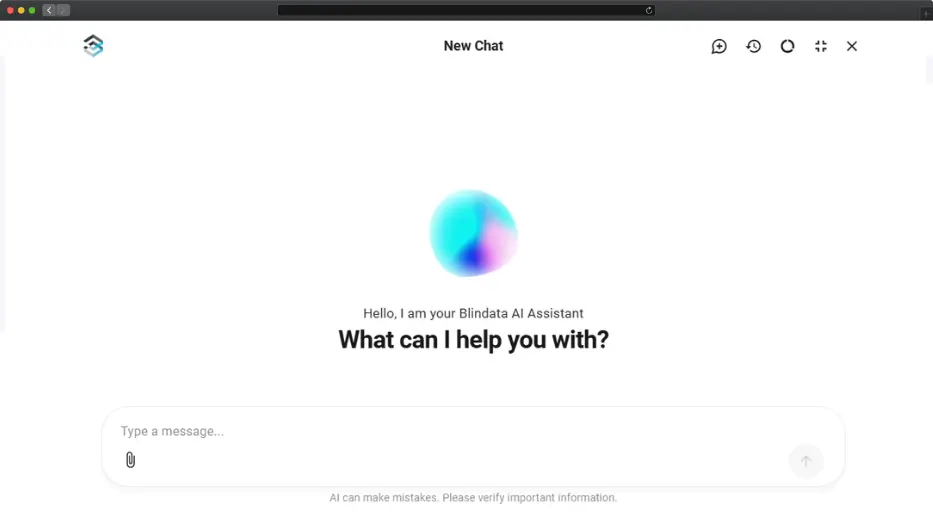
This is not a generic chatbot bolted onto a catalog. The assistant operates on your organization’s real metadata, the same systems, concepts, tables, and relationships already in your Blindata tenant, and respects the same access controls as the rest of the platform.
We designed it around a simple principle: daily tasks, not just search. Discovery matters, but stewards and analysts spend most of their time doing something with what they find: drafting a term, linking a column, preparing a lineage summary, writing SQL against the right tables. The assistant is built with those skills in mind.
Grounded in your ontology
Many AI tools stop at retrieval: they find a table name and paraphrase a description. The Blindata AI Assistant goes further. Its answers are primarily grounded in your defined ontology, the business concepts, relationships, and semantic links your organization has already agreed on in the Business Glossary and Knowledge Plane.
That grounding changes how the assistant reasons. When you ask about a business concept like “Customer” or “Order,” it does not jump straight to a keyword match in the catalog. It navigates the ontology first: which concepts exist, how they relate, which data products or attributes carry their meaning. Only then does it move to physical assets, tables, columns, and lineage in the Data Catalog.
When you ask for data or a SQL query, the same path applies. The assistant uses the ontology to select the correct data assets and mappings: the certified data product behind a concept, the semantic link from a glossary attribute to a physical column, the lineage path that explains where a field comes from. The result is SQL built on verified table and column names, not on whichever sales or customer_id happened to rank highest in a text search. This is the same top-down reasoning we described in AI context engineering: ontology → data products → physical schema.
Skills for daily work
Beyond answering questions, the assistant is designed for stewardship and analysis workflows through a conversational interface that suits drafting and iteration. You can ask it to:
- Create and edit glossary terms: concepts, attributes, namespaces, and relationships
- Register or update catalog assets: systems, tables, columns, descriptions, visibility notes
- Link technical assets to business meaning: semantic linking between columns and glossary concepts
- Explore metadata and trace lineage: find owners, upstream sources, and downstream dependencies
- Evaluate data quality: view quality suites and checks linked to your assets
- Prepare data queries: SQL grounded in ontology-mapped tables and columns your organization has certified
When it proposes creates or updates, nothing is applied silently. You see clickable resource cards for every asset involved, open them in Blindata, and verify before treating the result as final. The in-chat reminder is deliberate: AI can make mistakes; you stay the reviewer.
Governance work often starts outside Blindata: a retention policy in PDF form, a CSV export of column definitions, an ER diagram from a design session. Instead of retyping that material, attach the file and tell the assistant what to do with it.
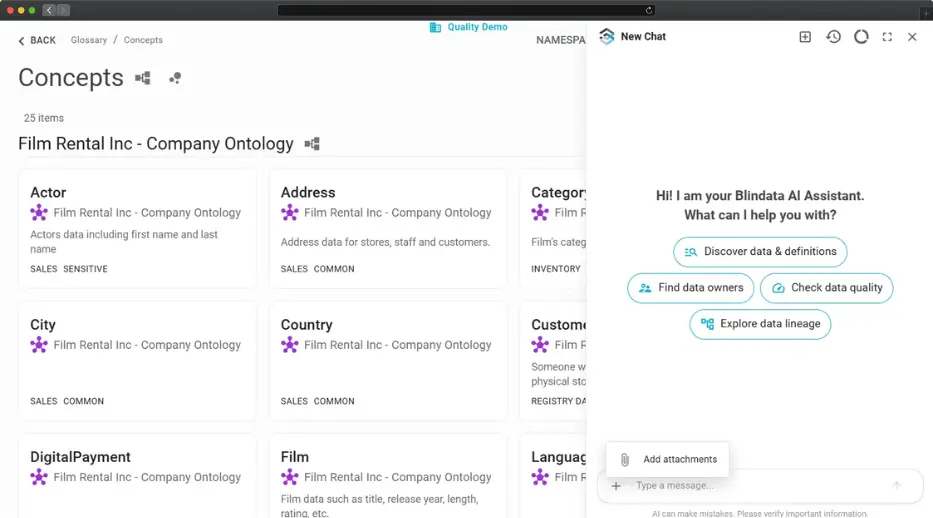
For example, attach a policy PDF and ask it to create glossary concepts for the data categories in section 3; attach a CSV export to register columns in the sales schema; or attach a diagram to suggest an ontology structure based on the model. The assistant reads what you provide, combines it with your tenant metadata, and produces drafts you can refine in the same thread.
Real scenarios from the field
Under the hood, the assistant works through a set of tools on your governed metadata: search and traverse the ontology, fetch catalog and lineage details, draft glossary entries, register assets, propose semantic links, and more. These tools can be combined in flexible ways depending on what you ask, attach, or want to accomplish next in the conversation. The scenarios below are starting points, not an exhaustive list. Your imagination is the limit.
Here are six patterns teams are already using; adapt them to your own governance routine.
1. Build a glossary from a policy PDF
Who: Data steward responsible for the Business Glossary
Prompt: “I’ve attached our data retention policy. Create glossary concepts for the key data categories mentioned in section 3, with short definitions and suggested relationships between them.”
Outcome: Draft concepts with proposed IS_A or PART_OF relationships, each as a clickable card you can open and refine in Blindata.
2. Onboard a catalog from a CSV export
Who: Catalog owner registering a new source system
Prompt: “Here is a CSV export of column names and descriptions from our CRM database. Register the orders table and its columns in the sales schema.”
Outcome: Table and column entries created from your export, with links to verify each asset, far faster than manual field-by-field entry.
3. Link columns to glossary concepts
Who: Semantic analyst bridging business and technical metadata
Prompt: “The customer_transactions table was just registered. Link each column to the most relevant Business Glossary concept or attribute.”
Outcome: Semantic links between catalog columns and glossary objects, with navigation to both sides of each connection.
4. Prepare a lineage summary for stakeholders
Who: Data product owner before a governance review
Prompt: “Where does the Monthly Sales Report data product get its inputs? Give me both a business summary and the technical lineage.”
Outcome: A plain-language explanation plus a technical lineage path through data products, tables, and processing steps, all linked to real assets in your tenant.
5. Write SQL from a business question
Who: Analyst who knows the question but not which tables to trust
Prompt: “Show me last month’s revenue by region for our top product categories. Use the governed definitions for Revenue and Product Category.”
Outcome: The assistant follows the ontology from business concepts to their semantic mappings, selects the certified data product and physical columns behind each term, and drafts SQL with verified table and column names. You review the linked assets before running anything in your warehouse.
6. Update lineage from a transformation script
Who: Data engineer keeping pipeline documentation in sync with code
Prompt: “I’ve attached the Python script that builds our customer_360 table. Register the lineage from the source tables it reads to the customer_360 output.”
Outcome: The assistant reads the script, identifies source and target tables against assets already in your catalog, and proposes lineage links between them. You review each connection in Blindata before saving, without tracing dependencies by hand in the UI.
Three ways to use Gen AI in Blindata
The assistant is one entry point into Blindata’s broader Gen AI capabilities. All three draw on the same governed metadata; they differ in where you start the conversation:
| Blindata AI Assistant | Semantic Search | Context Layer for Agents | |
|---|---|---|---|
| Who | Stewards and business users in Blindata | Anyone discovering data | Developers with external AI tools |
| Where | In-app chat (sparkle icon) | Search across the platform | Cursor, Claude, VS Code, and other MCP clients |
| Best for | Daily governance and analysis tasks in plain language | Finding assets by meaning or keyword | Agent automation and advanced workflows |
If you have been following our writing on AI context engineering, the picture is consistent: trustworthy AI needs a governed metadata graph and a defined ontology. The assistant brings both to stewards and analysts inside Blindata, with skills for the work beyond search. Semantic Search powers discovery for people and agents alike. The context layer exposes the same graph to external clients that need structured, on-demand context instead of brute-force prompt dumps.
Explore the full Gen AI product section on our website, or dive into the Blindata AI Assistant guide in the Help Center for interface details, file attachments, and example conversations.
Get started
The Blindata AI Assistant is available when enabled for your organization. If you do not see the sparkle icon in the toolbar, contact Blindata support to request activation. The assistant replies in the language you write in, and can draw on metadata across your organization regardless of the language each asset was documented in.
To get started:
- Open Blindata and click the sparkle icon in the top-right toolbar.
- Describe what you want to accomplish; be specific about the outcome.
- Attach documents when you have them; iterate on the drafts the assistant proposes.
- Review resource cards in Blindata before treating any suggestion as final.
Governance at scale has always been a people problem as much as a technology problem. The Blindata AI Assistant does not replace stewards or analysts; it gives them a faster path through the daily tasks they already own, grounded in the ontology and mappings your organization has defined.
Book a demo to see the assistant in action on your metadata, or read the product overview to learn more about Gen AI in Blindata.